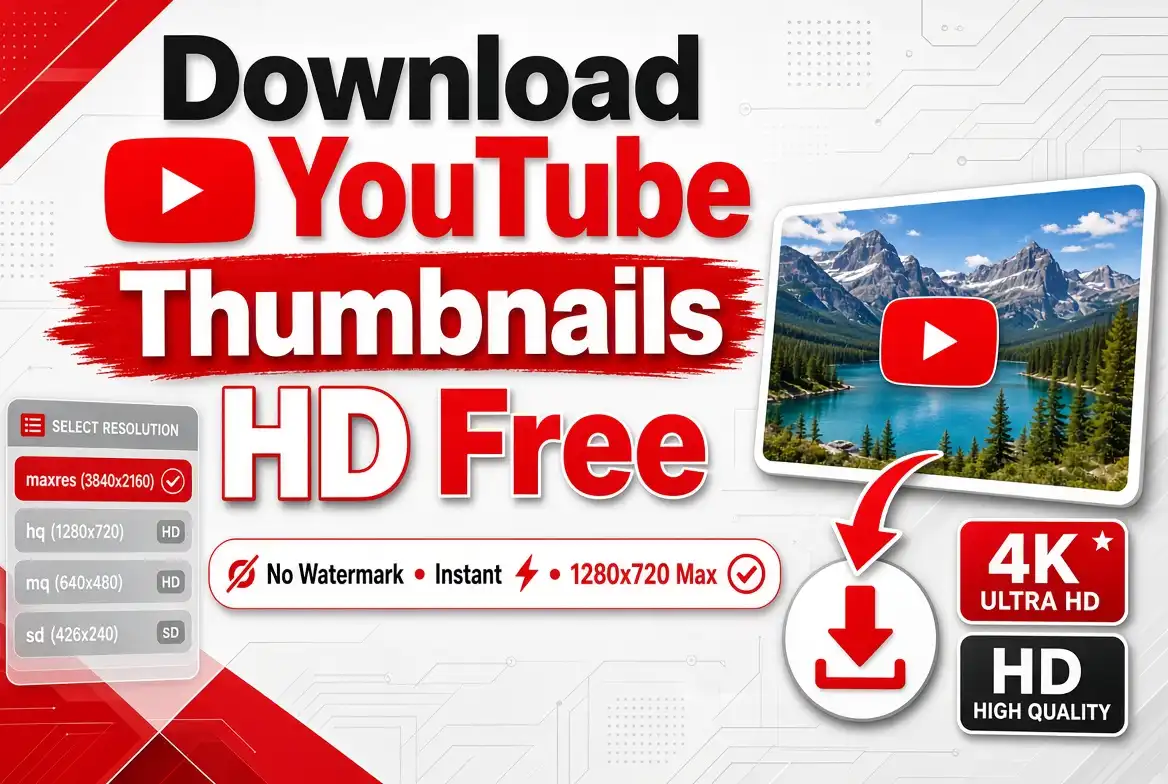
Learn how to save YouTube video thumbnails in the highest available quality using a free online thumbnail downloader without installing software or adding a watermark.
YouTube thumbnails are one of the most important visual elements of a video. Before someone watches a video, the thumbnail is often the first thing they see. Creators therefore spend considerable time designing attractive thumbnails that communicate the subject of a video and encourage viewers to click.
Sometimes you may want to download a YouTube thumbnail for your own video, save a design reference, analyze thumbnails in your niche, create a design portfolio, or keep an archive of your previous work.
Fortunately, you do not need complicated software to save a thumbnail from a public YouTube video. A dedicated online thumbnail downloader can extract the available thumbnail image from a video URL in seconds.
In this guide, you will learn how to download YouTube thumbnails in HD, what people mean when they search for 4K thumbnails, how to download thumbnails on mobile and desktop, and how to use the SmartPDFs YouTube Thumbnail Downloader.
Can You Download YouTube Thumbnails for Free?
Yes. Public YouTube videos have thumbnail images that can be retrieved through the web. A thumbnail downloader provides a convenient interface for finding and saving the available image instead of requiring you to manually inspect image URLs.
The important distinction is between downloading a thumbnail and reusing it. A thumbnail may be copyrighted by its creator or another rights holder, so downloading an image for reference does not automatically give you permission to publish it as your own.
YouTube also has policies governing thumbnails and prohibits thumbnails that violate its Community Guidelines, including certain misleading, sexual, violent, hateful, or harmful imagery. :contentReference[oaicite:1]{index=1}
Download a YouTube Thumbnail in Seconds
Paste a public YouTube video URL into SmartPDFs and get the highest available thumbnail quality directly in your browser.
Open YouTube Thumbnail DownloaderWhat Is a YouTube Thumbnail Downloader?
A YouTube thumbnail downloader is an online tool that retrieves the thumbnail image associated with a YouTube video.
Instead of taking a screenshot from the YouTube player, you provide the video URL and the tool identifies the video's thumbnail and presents the available image for downloading.
This can produce a much cleaner result than taking a screenshot because you are retrieving the actual thumbnail image rather than capturing part of your screen.
How to Download YouTube Thumbnails in HD
The easiest method is to use a dedicated online downloader. SmartPDFs is designed around a simple URL-based workflow: paste the YouTube video URL, click the button, preview the thumbnail, and download the highest available quality. The current SmartPDFs tool accepts standard YouTube URLs as well as formats such as youtube.com/watch and youtu.be links. :contentReference[oaicite:2]{index=2}
Copy the YouTube Video URL
Open the YouTube video whose thumbnail you want to save.
Click the browser address bar and copy the complete video URL. You can also use YouTube's Share option and copy the provided link.
A typical YouTube link looks similar to:
https://www.youtube.com/watch?v=VIDEO_ID
You can also encounter shorter links such as:
https://youtu.be/VIDEO_ID
Open the SmartPDFs YouTube Thumbnail Downloader
Go to the SmartPDFs YouTube Thumbnail Downloader. The tool provides a dedicated field where you can paste the YouTube video URL.
Use SmartPDFs Free ToolPaste the Video URL
Paste the copied YouTube link into the input field.
You do not need to manually find the video's ID or search through the page source. The SmartPDFs tool is designed to accept the YouTube URL directly. :contentReference[oaicite:3]{index=3}
Click "Get Thumbnail"
After pasting the URL, click Get Thumbnail.
The tool identifies the thumbnail associated with the video and displays the available image so you can preview it before saving it.
Download the Thumbnail
Once the thumbnail appears, save the image to your device.
The SmartPDFs tool is designed to retrieve the highest available quality for the thumbnail rather than forcing you to manually search through different image URLs. :contentReference[oaicite:4]{index=4}
Is YouTube Thumbnail Download Really 4K?
This is an important point that many articles and tools explain poorly. Searching for "YouTube thumbnail downloader 4K" does not necessarily mean that YouTube provides a native 3840 × 2160 thumbnail file for every video.
YouTube's official guidance recommends very high-resolution custom
thumbnails, but the publicly accessible thumbnail versions commonly used by
downloaders can have lower maximum dimensions. The commonly referenced
maxresdefault thumbnail is 1280 × 720 when available. :contentReference[oaicite:5]{index=5}
A good thumbnail downloader should provide the highest-quality version actually available for the video. If a native 4K thumbnail is not publicly available, a tool should not falsely claim that a 1280 × 720 image is a native 4K file.
YouTube Thumbnail Resolutions Explained
You may see different thumbnail versions depending on the video and the method used to retrieve it.
| Thumbnail Type | Typical Resolution | Best Use |
|---|---|---|
| Max Resolution | 1280 × 720 when available | Large previews and design research |
| Standard | 640 × 480 | Medium-sized previews |
| High Quality | 480 × 360 | General use |
| Medium Quality | 320 × 180 | Small previews |
| Default | 120 × 90 | Small interface previews |
The highest available version may vary by video. In particular, the maximum-resolution version may not exist for every video.
Why Download YouTube Thumbnails?
Study Successful Channels
Creators can save thumbnail examples from their niche and analyze patterns in composition, typography, contrast, and visual hierarchy.
Save Your Own Thumbnails
If you forgot to keep the original design file, downloading your own published thumbnail can give you a convenient copy.
Create a Design Reference Library
Designers can organize thumbnail examples to study different approaches and identify recurring visual patterns.
Analyze Competitors
Creators can review thumbnails from other channels to understand how different niches communicate video topics visually.
How to Download Your Own YouTube Thumbnail
If the thumbnail belongs to you, YouTube Studio may be the best option because it gives you direct access to your own channel's content.
YouTube's current help documentation explains that creators can manage custom thumbnails through YouTube Studio. Custom thumbnails can be uploaded for eligible videos, subject to YouTube's requirements and policies. :contentReference[oaicite:6]{index=6}
For a quick way to retrieve a thumbnail from a public video URL, however, SmartPDFs can be more convenient because you simply paste the video link into the downloader.
How to Download YouTube Thumbnails on a Phone
You do not necessarily need a computer to save a YouTube thumbnail. A browser-based downloader can work on modern smartphones.
On Android
- Open the YouTube app or website.
- Find the video you want.
- Copy the video's URL.
- Open the SmartPDFs YouTube Thumbnail Downloader.
- Paste the URL into the input field.
- Tap Get Thumbnail.
- Save the resulting image to your phone.
On iPhone
- Open YouTube and find the video.
- Copy the video link.
- Open SmartPDFs in Safari or another browser.
- Paste the YouTube URL.
- Tap Get Thumbnail.
- Preview the image.
- Save the image to your device.
How to Download YouTube Thumbnails Without a Watermark
If your goal is to save the original thumbnail image rather than take a screenshot, a dedicated downloader can be useful because the result comes from the thumbnail asset itself.
SmartPDFs is designed to retrieve the thumbnail directly from the public YouTube video URL instead of adding branding or editing the image during the retrieval process. :contentReference[oaicite:7]{index=7}
However, remember that "no watermark" does not mean copyright-free. The absence of a downloader watermark does not transfer ownership of the thumbnail to you.
Can You Use a Downloaded YouTube Thumbnail as Your Own?
Not automatically.
A YouTube thumbnail can be an original creative work owned by the creator, designer, or another rights holder. YouTube's policies also protect thumbnail-related content and enforce rules around misleading or infringing imagery. :contentReference[oaicite:8]{index=8}
If you want to use another creator's thumbnail publicly, especially for commercial purposes, get permission when appropriate and consider whether you have the necessary rights to every element in the image.
- Save your own thumbnails for backup purposes.
- Use thumbnails for private design research.
- Use them as references when studying visual trends.
- Use them in commentary or analysis where your use is legally permitted.
- Ask the copyright owner for permission before commercial reuse.
Downloaded Thumbnail vs Screenshot
Taking a screenshot is one way to save a thumbnail, but it is usually not the best method when you want the cleanest available image.
| Method | Quality | Ease | Recommended |
|---|---|---|---|
| Screenshot | Depends on screen | Easy | For quick references |
| Thumbnail Downloader | Highest available thumbnail | Very easy | Yes |
| Manual image URL | Depends on selected version | More technical | Advanced users |
| Video frame capture | Varies | Moderate | When no suitable thumbnail exists |
How Creators Can Use Thumbnail Downloads for Research
Downloading thumbnails can be especially useful for creators who want to improve their own thumbnail strategy.
Instead of copying another creator's design, study what makes the image effective.
Look at the Text
Notice how many words appear on successful thumbnails. Short, readable text is generally easier to understand when thumbnails are displayed at small sizes.
Study Composition
Look at where faces, products, logos, and text are positioned. Ask whether the main subject remains obvious when the thumbnail is viewed at a small size.
Analyze Contrast
Compare the foreground and background. Strong visual separation can help important elements remain visible.
Study Consistency
Successful channels often develop recognizable visual styles. Look for consistent fonts, layouts, colors, and subject placement.
How to Create Your Own Thumbnail Instead of Copying One
The best way to benefit from thumbnail research is to learn from patterns rather than duplicate another creator's artwork.
- Use your own photographs or graphics.
- Create original text and layouts.
- Use properly licensed fonts and images.
- Develop a recognizable channel style.
- Use downloaded thumbnails only as references when appropriate.
YouTube Thumbnail Size in 2026
For creators making their own YouTube thumbnails, YouTube currently recommends a large image and lists 3840 × 2160 pixels for video thumbnails, with a 16:9 aspect ratio. It also specifies supported image formats such as JPG and PNG and provides file-size limits depending on the upload method. :contentReference[oaicite:9]{index=9}
This is different from saying that every publicly downloadable thumbnail will be available as a native 3840 × 2160 image. The source image and the publicly retrievable thumbnail versions can differ.
What to Do If the HD Thumbnail Is Not Available
Sometimes you may expect a high-resolution thumbnail but receive a smaller version instead.
This does not necessarily mean that the downloader is broken. The available thumbnail resolution depends on what YouTube makes available for that video.
A good downloader should return the highest available version rather than inventing resolution that does not exist.
Why SmartPDFs Is Useful for YouTube Thumbnail Downloads
SmartPDFs focuses on making the thumbnail retrieval process simple. According to the current tool page, you can enter a YouTube video URL and click Get Thumbnail to preview and download the highest quality image available. It supports common YouTube URL formats including youtube.com/watch and youtu.be links. :contentReference[oaicite:10]{index=10}
Free Online Tool
Access the thumbnail downloader directly from your browser without needing dedicated desktop software.
Simple URL Workflow
Paste a YouTube URL instead of manually extracting the video ID.
Highest Available Quality
The tool is designed to retrieve the highest-quality thumbnail available for the supplied video.
Works Across Devices
Because the tool is browser-based, you can use it from a computer, tablet, or supported smartphone browser.
Try the Free YouTube Thumbnail Downloader
Have a YouTube video URL ready? Paste it into SmartPDFs and retrieve its highest available thumbnail in just a few clicks.
Download YouTube ThumbnailFrequently Asked Questions
How can I download a YouTube thumbnail in HD?
Copy the YouTube video's URL, open a thumbnail downloader such as SmartPDFs, paste the URL, click Get Thumbnail, and save the highest available image.
Can I download YouTube thumbnails for free?
Yes. SmartPDFs provides an online YouTube Thumbnail Downloader that lets you enter a YouTube video URL and retrieve the highest available thumbnail quality. :contentReference[oaicite:11]{index=11}
Can I download a YouTube thumbnail without a watermark?
A downloader can retrieve the thumbnail without adding its own watermark. However, the original thumbnail may belong to its creator, so a watermark-free file should not be interpreted as copyright-free content.
Can I download a YouTube thumbnail in 4K?
It depends on what is actually available. Many public YouTube thumbnail versions are available at lower resolutions, with 1280 × 720 commonly being the highest standard downloadable version. A tool may use the phrase "4K" to describe an enhanced or upscaled image, but that is different from a native 4K thumbnail. :contentReference[oaicite:12]{index=12}
Does SmartPDFs work with youtu.be links?
Yes. The current SmartPDFs tool page states that it supports YouTube URLs including youtube.com/watch and youtu.be formats. :contentReference[oaicite:13]{index=13}
Can I download thumbnails on my phone?
Yes. Because SmartPDFs is browser-based, you can open the tool on a supported mobile browser, paste the YouTube URL, retrieve the thumbnail, and save the resulting image.
Can I use another creator's thumbnail on my YouTube video?
You should not assume that you can. A thumbnail can be protected by copyright, and downloading it does not automatically give you permission to reuse or republish it. When in doubt, create an original thumbnail or obtain permission from the rights holder.
What is the best format for YouTube thumbnails?
YouTube's current guidance lists image formats such as JPG and PNG for custom thumbnails and recommends a 16:9 aspect ratio for standard video thumbnails. :contentReference[oaicite:14]{index=14}
Download YouTube Thumbnails Easily with SmartPDFs
You do not need Photoshop, browser extensions, or complicated technical steps to retrieve a thumbnail from a public YouTube video.
Simply copy the video URL, paste it into the SmartPDFs YouTube Thumbnail Downloader, preview the result, and download the highest available quality.
Use SmartPDFs Thumbnail DownloaderFinal Thoughts
Learning how to download YouTube thumbnails can be useful for creators, designers, marketers, researchers, and anyone who needs to save a thumbnail from a public video.
The fastest approach is to use a dedicated online downloader. With SmartPDFs, you can paste a YouTube video URL, retrieve the thumbnail, preview the available image, and download the highest available quality directly from your browser. :contentReference[oaicite:15]{index=15}
Just remember that downloadable does not mean copyright-free. If the thumbnail belongs to another creator, use it responsibly and obtain permission when you plan to republish or use it commercially.
For creating your own YouTube thumbnails, use the downloaded examples as design inspiration rather than copying another creator's artwork. Original photography, graphics, typography, and layouts will give your channel a stronger and more recognizable visual identity.
Get a YouTube Thumbnail Now
Paste any public YouTube video URL into SmartPDFs and get the highest available thumbnail quality quickly and easily.
Open SmartPDFs
Comments (0)
Leave a Comment